


Delivery*
Free for orders $200 & above!
Wireless Alarm Translators - GeoArm Security®
▼ Shop Our Alarm Signal Translators ▼

List Price: $195.73
Our Price: $130.49


List Price: $210.95
Our Price: $140.64
Delivery*
Free for orders $200 & above!
Free for orders $200 & above!

List Price: $94.47
Our Price: $62.98
Delivery*
Free for orders $200 & above!
Free for orders $200 & above!

List Price: $170.96
Our Price: $113.97
Delivery*
Free for orders $200 & above!
Free for orders $200 & above!
Quick AI Overview:
Shop Alarm Translators at GeoArm Security. Browse genuine alarm translators compatible with trusted manufacturers including GeoAlarm, Napco, and Alula. Discover wired and wireless alarm translators designed to integrate compatible legacy security sensors with newer alarm systems, expand compatibility, and simplify residential and commercial security system upgrades. Alarm translators support GeoArm 24/7 professional UL-listed central station monitoring or DIY self-monitoring with no long-term contract.
What is an Alarm Signal Translator?
Wireless Signal Translator
Salvage Existing Equipment!
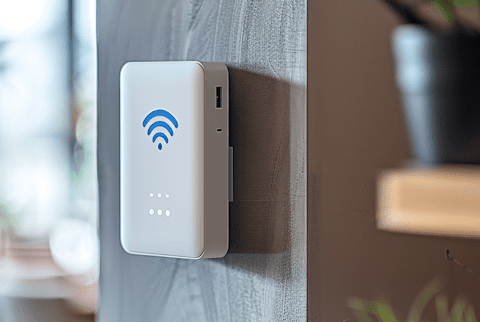
An alarm translator is a device that allows a security system to communicate with and transmit alarm signals to the control panel and/or GeoArm central monitoring station, regardless of the type or manufacturer of the security system equipment. This is particularly useful for businesses or homes that have an older security system that may not be compatible with newer alarm monitoring technology. The alarm translator typically connects to the existing security system and receives alarm signals from the system's sensors, then translates and transmits those signals to the GeoArm monitoring station via telephone, internet or cellular communication.
Common Uses for Alarm Signal Translators?
1. Integration of Different Systems - They allow for the integration of various security devices that may not natively communicate with each other, such as combining older systems with newer technology.
2. Extending System Capabilities - By translating signals, these devices can help extend the capabilities of an existing alarm system, allowing it to incorporate a wider range of sensors and devices.
3. Upgrading Systems - When upgrading a security system, signal translators can be used to ensure that new components are compatible with existing infrastructure, avoiding the need for a complete system overhaul.
4. Custom Solutions - In complex security setups, signal translators can be used to create custom solutions that meet specific security needs by bridging different technologies.
5. Improving Communication - They can enhance the reliability of communication between devices by ensuring that signals are properly received and understood across different platforms.
Installation Tips for Alarm Signal Translators?
1. Understand the System Requirements - Before starting, make sure you have a clear understanding of the specific requirements for the alarm signal translator you are installing. This includes knowing the types of signals it can translate and the systems it is compatible with.
2. Choose the Right Location - Install the translator in a central location where it can effectively communicate with both the alarm system and the monitoring station. Avoid areas with heavy interference, such as near large metal objects or electronic devices that could disrupt the signal.
3. Check Power Supply - Ensure that the translator is connected to a reliable power source. Some models may require a direct connection to the main power supply, while others might use batteries. If batteries are used, check their charge regularly.
4. Secure Mounting - Use appropriate mounting hardware to securely attach the translator to a wall or other stable surface. This will prevent it from being easily tampered with or damaged.
5. Follow Manufacturer Instructions - Always refer to the manufacturer’s installation manual for specific instructions and guidelines. This will ensure that you are following the correct procedures and not voiding any warranties.
6. Test the System - After installation, conduct a thorough test to ensure that the translator is correctly receiving and transmitting signals. This might involve triggering the alarm system and verifying that the signal is properly sent to the monitoring station.
7. Regular Maintenance - Schedule regular maintenance checks to ensure the translator is functioning correctly. This includes checking for firmware updates, inspecting physical connections, and testing signal strength.
8. Professional Assistance - If you are unsure about any part of the installation process, consider hiring a professional installer. They can ensure that the system is set up correctly and provide peace of mind.


